TestOS for PLC testing
A platform for automated testing of PLC programs, functions and scenarios. TestOS is used as a test runner that connects to the PLC, executes test cases and prepares test results.
Services
We develop practical technical tools for automation, testing, data conversion and project support. The focus is on solutions that reduce manual work, improve traceability and support more reliable project execution.
A platform for automated testing of PLC programs, functions and scenarios. TestOS is used as a test runner that connects to the PLC, executes test cases and prepares test results.
Integration of Squash TM for requirements and test cases, Jenkins for execution and Gitea for local source control. Built for repeatable testing of automation projects.
A Python tool with a graphical interface for structured migration of B&R VC4 visualizations into mappView files and a project structure prepared for further work in Automation Studio.
Small engineering applications for file preparation, data conversion, report generation, project checks and daily automation engineering support.
Media
Examples show how Bcode tools support PLC testing, visualization conversion and automation project workflows.
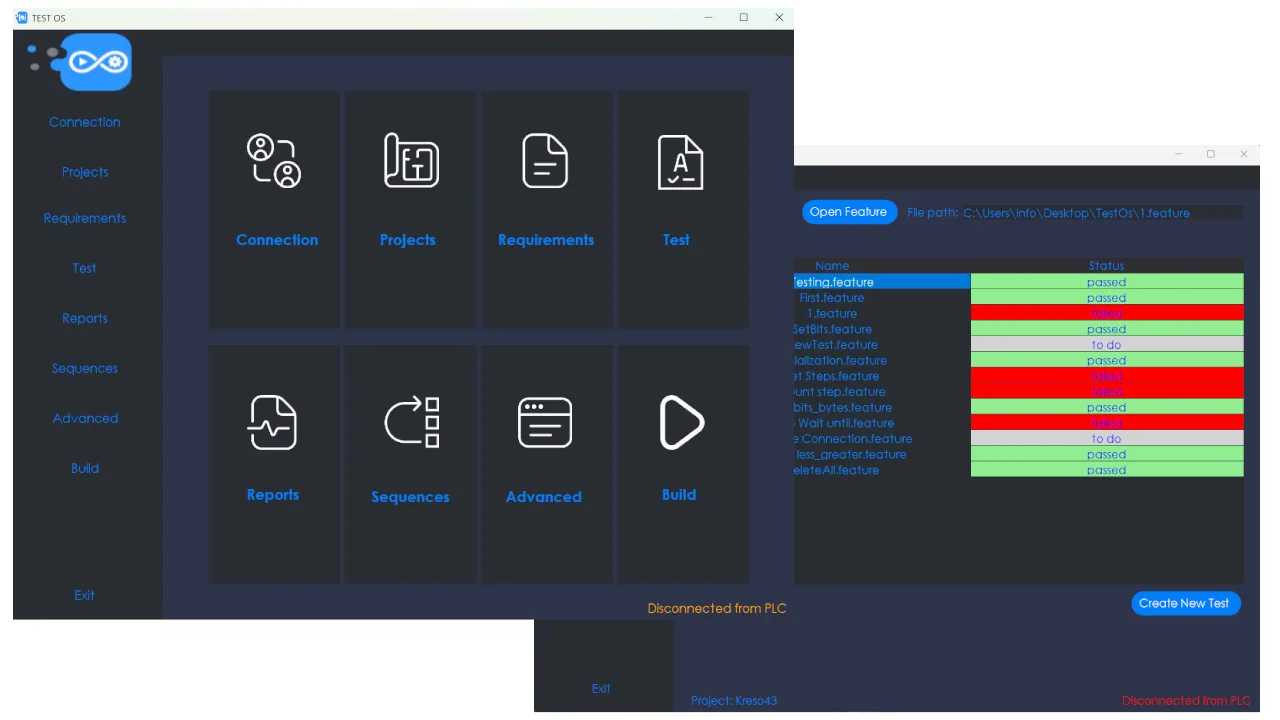
Checking PLC scenarios, wiring and repeatable test cases.

A tool for faster migration of VC4 visualizations into mappView structure.
TestOS
TestOS is intended for testing PLC programs, functions and sequences in repeatable scenarios. It can be used with a local development infrastructure where requirements, test cases, source control, project builds and test results are connected into one workflow.
Typical integration
Squash TM handles requirements and BDD test cases, Jenkins handles execution, Gitea handles versioning, and TestOS connects to the PLC, runs the tests and prepares the results.
B&R GUI Converter
For existing B&R VC4 visualizations, we develop a converter that supports migration to mappView. The goal is to reduce manual work, keep names and references aligned, and prepare a basic file structure for further work in Automation Studio.
The converter is especially useful in repetitive projects where multiple existing screens need to be moved into a newer environment without rebuilding everything completely by hand.
We can prepare a custom tool for testing, data conversion, file generation or reporting.